- Integrations
- Healthcare
Automating Patient Intake for Diagnostic Imaging Centers: Reducing Friction
Patient intake software for clinics and diagnostic imaging centers reduces check-in friction, verifies insurance, and captures consent seamlessly. Improve patient flow and revenue cycle handoffs. Explore tailored solutions for your practice today.

You need patient intake software for clinic and diagnostic imaging centers that does more than collect demographics. In a clinical or imaging setting, intake has to get the order ready, verify insurance, capture consent, and hand clean information to scheduling, the front desk, and billing without creating new work.
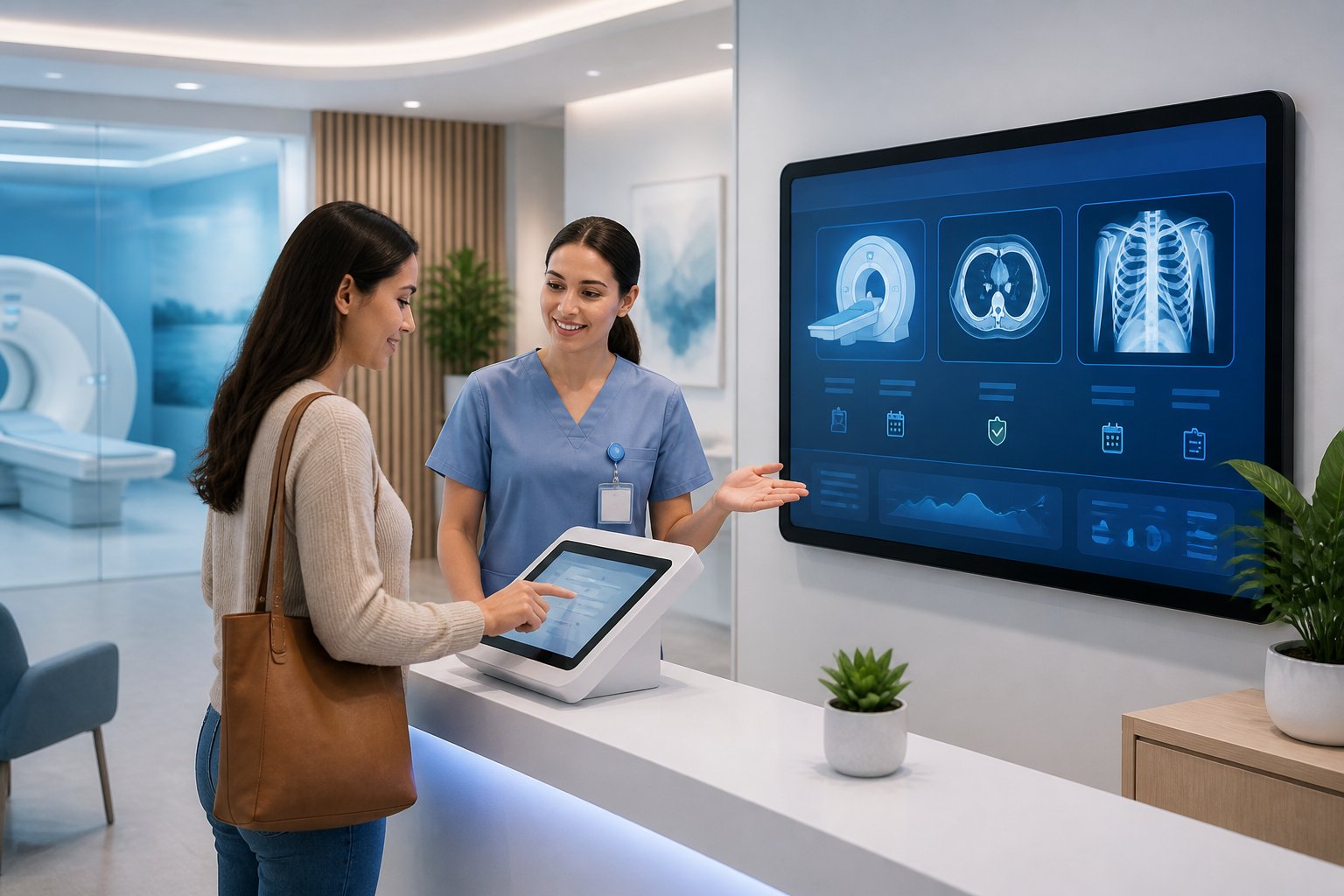

The right intake workflow reduces check-in friction, protects revenue cycle handoffs, and gives your team better visibility before the patient arrives. If you are trying to make that happen without disrupting what already works, a practical operations review, such as the kind GalenXLab uses for rapid prototyping and integration over replacement, can help you map the first high-value step before you scale.
Key Takeaways
- Intake should remove rework, not add another system.
- Clinical and imaging teams need cleaner data before the visit starts.
- Small workflow fixes often matter more than broad software resets.
What Clinic and Imaging Centers Need From Intake
Clinic and imaging centers have intake processes that are often more operationally sensitive than a typical primary care office. Your intake platform needs to support the front end of the visit, the downstream billing process, and the handoffs between scheduling, registration, and clinical review.
Why Clinic/Diagnostic Imaging Intake Differs From General Medical Intake
Clinic and diagnostic imaging intake is tied to orders, modality-specific prep, and payer requirements. A generic workflow can miss the details that matter, such as whether the order is complete, whether the patient has the right instructions, and whether the documentation supports reimbursement.
Your patient intake platform should fit around clinical and imaging operations, not around a broad ambulatory template. That means digital intake forms need to reflect the realities of radiology scheduling, consent forms, insurance verification, and the patient portal experience your team already uses.
The Core Jobs Intake Must Handle Before The Visit
Before the patient walks in, intake should collect demographics, validate coverage, capture consent, and surface missing information early. It should also help the team confirm that the visit is ready for check-in without forcing staff to chase details later.
A useful workflow also supports patient satisfaction by reducing waiting and confusion. When intake is complete ahead of time, the front desk spends less time retyping data and more time helping patients move through the visit.
How Better Intake Supports Patient Experience And Throughput
Patients notice when the arrival process is simple. If they can complete forms in advance, confirm details through the patient portal, and arrive with fewer surprises, the visit starts with less friction.
For your team, that means faster throughput and fewer interruptions. The best systems improve patient experience while also helping the clinic move people through the day with less manual coordination.
Where Intake Friction Usually Starts
Most intake problems begin long before a patient reaches the desk. The weak points usually come from scattered data, disconnected communication, and manual handling that leaves staff cleaning up the same information more than once.
Manual Entry Across Paper, PDFs, Email, And Spreadsheets
If your process still relies on printed forms, emailed PDFs, or copied spreadsheet data, every handoff creates room for error. Staff spend time re-entering information instead of validating it, and the process slows down as volume rises.
Digital forms help, but only if they replace transcription work. If your team still has to move information manually from one place to another, you have not removed the friction, you have only changed where it shows up.
Disconnected Front Desk, Scheduling, And Clinical Handoffs
A common failure point is the gap between scheduling and registration. The patient books one way, arrives another way, and the clinical team discovers missing details after the appointment is already underway.
Document uploads, insurance card capture, and patient communication need to flow through the same workflow. When they do not, the front desk becomes the cleanup crew for problems that started earlier in the process.
Missing Information That Slows Follow-Up And Billing
Incomplete intake creates downstream delays in revenue cycle work. Missing coverage details, unsigned forms, or unreadable uploads can lead to follow-up calls, claim issues, or avoidable rework after the visit.
The practical fix is earlier visibility. If staff can see missing items before the appointment, they can resolve them before the patient arrives instead of chasing them after the fact.
Capabilities That Matter Most In Daily Operations
You do not need a long feature list. You need tools that reduce manual touches, improve completion rates, and make it easier for staff to move from pre-visit to check-in without losing control of the process.
Pre-Visit Forms, E-Signatures, And Consent Collection
Digital intake forms should go out before arrival and collect the information your staff usually has to ask twice. E-signatures matter because they remove paper delays and help close consent forms in one pass.
In clinical and imaging settings, that is not just convenience. It improves the odds that the patient arrives ready, the record is cleaner, and the team spends less time fixing missing paperwork at the desk.
Eligibility Checks And Insurance Data Capture
Insurance verification should happen as early as possible, ideally during intake. Insurance card capture reduces typing errors, and real-time checks help surface coverage issues before they become billing problems.
This is where a patient intake software decision starts to affect operational control. If the data is accurate at the start, billing and registration do not have to rebuild it later.
Reminders, Messaging, And Self-Service Check-In
Automated reminders and appointment reminders help reduce no-shows and late arrivals. Self-service check-in, whether through check-in kiosks or patient portals, can shorten lines and keep the front desk focused on exceptions.
Patient engagement improves when the communication feels simple and timely. A patient communication platform should support the visit flow, not create another channel staff need to monitor all day.
Integration Over Replacement
The best intake tools fit into your current operation. If they force a wholesale reset of scheduling, registration, or billing, adoption usually slips and staff find workarounds.
Connecting Intake To Existing Scheduling And Registration Workflows
Your intake layer should support the way your team already schedules and registers patients. That means clean handoffs, shared status visibility, and fewer duplicate entry steps between the front desk and back office.
In practice, this is where practical implementation matters more than feature depth. A solution that improves the current workflow is usually more valuable than one that promises to replace it.
How Intake Should Feed Electronic Health Records And Billing
Intake data should flow into electronic health records and the practice management system without repeated manual cleanup. When that handoff works, staff spend less time reconciling names, insurance details, and forms.
The goal is cleaner billing and fewer registration errors, not a prettier form. If your intake software can support telehealth integration where needed and remains hipaa-compliant, it becomes easier to extend the workflow without creating new gaps.
Avoiding New Silos In Practice Management Systems
Practice management software should not become another isolated place where data gets trapped. If intake lives in one system, scheduling in another, and billing in a third, the team ends up stitching together the same information all day.
A better model is connected, not fragmented. That is the same logic you see in operations-first work from firms like GalenXLab, where the focus stays on reducing handoff friction rather than adding more tools for staff to manage.
Compliance, Data Quality, And Operational Control
Compliance is not just a legal box to check. In clinic and imaging operations, it directly affects trust, documentation quality, and how much cleanup your team has to do after the visit.
HIPAA Compliance And Secure Patient Data Handling
Your intake software should support hipaa compliance and be hipaa-compliant in the way it handles forms, uploads, and messaging. Secure handling matters because intake often includes sensitive demographics, insurance details, and signed consent forms.
Patients notice when their information is managed carefully. Staff notice when the system makes it easier to store, retrieve, and audit records without digging through paper folders or unsecured inboxes.
Reducing Duplicate Records And Incomplete Documentation
Good intake systems improve data quality at the source. Demographic checks, document uploads, and insurance card capture can reduce duplicate records and patchy files that create downstream confusion.
That matters because a bad intake record is not just an admin issue. It can slow clinical work, delay billing, and force someone else to fix what should have been caught earlier.
Building Visibility Across Teams Without Extra Administrative Burden
The best operational control comes from visibility, not more meetings. When staff can see what is complete, what is missing, and what needs follow-up, they can act earlier with less overhead.
A useful workflow gives teams shared status without adding a second layer of manual reporting. That is the difference between a system that helps operations and one that only looks organized on paper.
How To Evaluate Fit Without Overbuying
A good purchase decision starts with your actual workflow, not with a demo script. You want enough capability to solve the intake problem you have, not a platform that comes bundled with features your team will never use.
Questions To Ask Before Choosing A Platform
Ask how the system handles patient intake from the first invite through final check-in. You also want to know how it supports patient engagement, payment collection, and the patient portal without forcing extra steps for staff.
Pay close attention to whether the vendor can explain the workflow in operational terms. If the answer stays vague, the product may look capable while still creating more coordination work than it removes.
Matching Features To Volume, Staffing, And Workflow Complexity
High-volume clinics and imaging centers need different support than smaller offices. If your team handles many daily arrivals, even small delays in forms, eligibility, or communication can ripple through the whole schedule.
Choose intake automation that matches your staffing pattern and patient flow. A lean system that fits your process is usually better than a broad suite built for a much larger operation.
Warning Signs A Tool Will Add Friction Instead Of Removing It
Be cautious if the product requires too much training, too many logins, or constant manual oversight. If staff have to jump between screens to complete what should be a single flow, the tool is probably adding friction.
Also watch for solutions that look polished but do not fit real intake work. When the workflow is not aligned with your team, the burden shifts back to staff and the patient still feels the delay.
A Practical Rollout Approach For Clinic and Imaging Operations
The fastest gains usually come from one painful step, not a big-bang rollout. Start where the rework is obvious, prove the change, then expand with discipline.
Start With One High-Friction Intake Step
Pick the intake step that costs the most time or causes the most missing information. For many healthcare centers, including both clinic and imaging centers, that is pre-visit forms, insurance verification, or consent collection.
Fixing one step well gives you a cleaner baseline and a better chance of getting staff buy-in. It also keeps the project grounded in actual operational pain instead of abstract digitalization goals.
Prototype Quickly Before Scaling Across The Operation
A short prototype lets you test digital forms, insurance verification, and message timing in a real workflow. You can see where patients get stuck, where staff need exceptions, and where the process needs adjustment before wider rollout.
That is often the most practical way to protect patient satisfaction and the revenue cycle at the same time. Small pilots reduce risk and make it easier to scale what works.
Measure Time Saved, Error Reduction, And Handoff Quality
Do not judge success only by adoption. Track the time spent on registration, the number of missing items at check-in, and the quality of handoffs to billing or clinical teams.
Those measures tell you whether intake automation is actually helping. If the process is faster, cleaner, and easier to manage, the improvement will show up in both staff workload and patient flow.
How To Evaluate Vendors Without Getting Distracted
Vendor selection gets noisy fast because every product claims to be the best patient intake software. Your job is to match the tool to your operating model, not to the loudest demo.
When A Standalone Tool Makes Sense
A standalone tool can make sense when your current systems are stable and you mainly need faster intake forms, better routing, or cleaner pre-visit collection. Tools such as IntakeQ or Doctible may fit that narrow need in some organizations.
A standalone option works best when you already know your workflow and only need one pain point solved. If the rest of your stack is solid, a lighter tool can be easier to land.
When An All-In-One Platform Is Better
An all-in-one platform can be better when intake, scheduling, billing, and charting are tightly connected in your operation. Products such as athenahealth, eClinicalWorks, NextGen Healthcare, AdvancedMD, SimplePractice, drchrono, Tebra, Kareo, Modernizing Medicine, PatientPop, and Phreesia often come up when teams want broader platform coverage.
The tradeoff is flexibility. If the platform is rigid, you may trade one set of problems for another.
Questions To Ask Before You Buy
Ask how the system handles your real workflow, not an ideal one. Test whether it supports mobile completion, signature capture, routing, EHR handoff, and reporting without extra manual cleanup.
Also ask what happens when your intake process changes. The right vendor should support adaptation, not require a new operating model every time your clinic adjusts.
Integration With EHR And Front Office Systems
Intake only improves operations when the data reaches the places your team already uses. EHR integration, scheduling links, and front office connectivity are what turn a form into a usable operational asset.
EHR Integration Without Duplicate Entry
Strong ehr integration means the same patient information does not need to be typed twice. When intake data flows into the electronic health record, your staff gets faster access to demographics, history, and documents without manual copy-paste work.
This is where many tools fall short. If they only export PDFs or require constant reconciliation, you are still living with duplicate entry.
Insurance Verification And Revenue Impact
Insurance verification is not just a billing task, it is an intake task with revenue consequences. If coverage is checked early, you reduce surprises at check-in and avoid avoidable downstream corrections in revenue cycle management.
That early visibility also helps the front desk. When you know a case is incomplete before the appointment starts, you can act while there is still time to fix it.
Connecting Scheduling Communications And Intake Data
The best flow links scheduling, patient portals, practice management software, and intake data so no one has to re-enter the same facts in multiple places. That connection keeps communications consistent and helps staff see whether a patient is booked, reminded, or still missing forms.
A good system should feel like one operational path, not a stack of disconnected tasks. That is what makes intake feel manageable instead of chaotic.
Core Elements Of A Complete Intake Packet
A complete packet often includes a patient intake form, consent forms, a notice of privacy practices, and visit-specific items such as a primary care intake form or a mental health intake form. In real workflows, you may also use patient intake form templates or form templates to keep the process consistent across locations or specialties.
The issue is not the presence of forms. The issue is whether the packet fits the visit type and the team’s actual handoff pattern.
The Limits Of Converting Paper Intake Forms Into PDFs
A PDF sent through email is still a paper mindset. Patients may complete it, scan it, and send it back, yet your staff still has to inspect answers, fix formatting issues, and re-enter data into other systems.
That is why online forms are not automatically better than paper. If the workflow still depends on someone manually handling the result, you have only moved the friction to a new place.
What To Measure After Launch
After launch, your metrics should tell you whether the workflow got faster, cleaner, and easier to manage. If the form looks good but the operation still struggles, the measurement will show it.
Completion Rates, Missing Data, And Staff Rework
Track how many patients finish the form, how many fields come back incomplete, and how often staff must chase missing details. Those numbers show whether your intake design actually reduces cleanup.
If rework stays high, the issue may be the form length, the timing, or the integration gap. Those are operational problems, not just UX problems.
Check-In Speed, Response Time, And Visibility Gains
Measure patient check-in time, response time to missing information, and how much visibility the team gains before the visit. Strong intake should shorten arrivals and give managers a clearer view of readiness.
Patient satisfaction often improves when the process feels organized and predictable. You usually do not need a separate experience project to get that benefit.
Signals That The Workflow Is Ready To Scale
You are ready to scale when staff trusts the data, patients complete the flow without handholding, and the same process works across multiple visits or sites. At that point, workflow automation can expand without creating new confusion.
Look for steady completion, low manual correction, and fewer handoff delays. Those are the signals that the workflow is operationally sound.
Optimizing Clinical Workflows in Canadian Settings
You can reduce delays and administrative strain when your diagnostic intake software connects directly with clinical systems, automates routine communication, and supports coordinated intake models. Canadian clinics benefit most when these tools align with existing EMR software, billing rules, and privacy laws such as PHIPA.
EMR Software Integration
You improve accuracy and reduce duplicate data entry when your diagnostic intake software integrates with your EMR software. Direct integration allows intake forms, referral details, and uploaded documents to flow automatically into patient charts.
This connection keeps demographics, health history, and diagnostic questionnaires consistent across systems. It also supports smoother medical billing by linking diagnostic codes and encounter notes to insured services under provincial plans.
Look for systems that:
- Sync structured data into EMR fields, not just PDF attachments
- Support bidirectional updates between intake tools and patient charts
- Integrate with platforms commonly used in Canada, including solutions such as OceanMD
- Maintain compliance with PHIPA and other provincial privacy requirements
When your intake platform shares data securely with your EMR, you reduce transcription errors and give clinicians faster access to relevant information at the point of care.
Automated Appointment Reminders
You lower no-show rates when you use automated appointment reminders tied directly to your intake and scheduling tools. Diagnostic clinics often manage imaging, sleep studies, and specialist assessments that require preparation, so timely reminders matter.
Automated reminders can:
- Send SMS or email confirmations
- Deliver preparation instructions for tests
- Prompt patients to complete outstanding intake forms
- Offer secure links to reschedule
When your system triggers appointment reminders based on real-time booking data, you avoid manual follow-up calls. Staff can focus on patient care instead of chasing confirmations.
Automated reminders also create a digital audit trail. You can document when notices were sent and confirmed, which supports operational planning and reduces scheduling gaps.
Streamline Workflows and Central Intake
You streamline workflows when you standardize referral routing and triage through a structured central intake model. Instead of relying on faxed referrals and manual sorting, diagnostic intake software can route requests based on urgency, location, or specialty.
A central intake approach helps you:
- Balance demand across multiple providers or sites
- Apply consistent triage criteria
- Track referral status in real time
- Reduce incomplete or duplicate submissions
Canadian regions have adopted centralized intake models to address long wait times and improve access to specialist and surgical services. When you apply similar principles in your diagnostic setting, you gain clearer visibility into referral volumes and bottlenecks.
Integrated dashboards within your digital health platform let you monitor queue length, turnaround times, and capacity. With this data, you make informed staffing and scheduling decisions while keeping patients and referring providers updated on progress.
Frequently Asked Questions
How can we digitize and automate patient registration and demographic data capture?
You can start by moving your registration packet into digital intake forms with validation, required fields, and conditional logic. That reduces manual entry and makes the data cleaner before it reaches your staff. - question: >- What features help reduce paperwork and shorten check-in times at the front desk? answer: >- The most useful features are pre-visit intake, e-signatures, document uploads, automated reminders, and patient portals. When those pieces work together, patients arrive with more of the work already completed. - question: >- How does the system integrate with our EHR/EMR, scheduling, and billing tools? answer: >- Look for ehr integration that pushes usable data into the electronic health record and connects with practice management software. You want intake information to support scheduling, documentation, and billing without duplicate typing. - question: >- What security, consent, and audit controls are available to support HIPAA compliance? answer: >- A strong platform should support role-based access, consent collection, audit trails, and secure handling of patient data. Ask vendors how they manage permissions and how they track who viewed or changed information. - question: >- Can patients complete forms online on mobile devices, and is e-signature supported? answer: >- Yes, most modern patient intake software should support mobile completion through patient portals or web forms. E-signature support is important because it removes paper dependency and speeds up visit readiness. - question: >- What reporting and analytics are available for no-shows, throughput, and intake bottlenecks? answer: >- Useful reporting shows form completion, pending items, no-shows, staff handoffs, and where delays happen in the intake flow. Those metrics help you see whether the software is truly reducing friction or just moving it somewhere else.
What features should a clinic or imaging center look for in a patient intake and registration system?
You should look for digital intake forms, insurance card capture, e-signatures, eligibility checks, reminders, and patient portal support. The best systems also improve handoffs to billing and registration instead of creating another place where staff must re-enter data.
How does digital intake integrate with EHR and other healthcare platforms?
Digital intake should feed patient demographics, forms, and insurance details into the systems your team already uses, especially the electronic health records and practice management system. In both clinic and imaging environments, the goal is clean front-end data that supports downstream scheduling, documentation, and billing without duplicate entry.
Can patients complete intake forms online before arriving, and how does e-signature work?
Yes, patients can usually complete forms before the visit through a secure link or patient portal. E-signature lets them sign consent forms digitally, which reduces paper handling and helps your staff confirm readiness before check-in.
How does intake software help verify insurance eligibility and collect co-pays for appointments?
Intake software can capture insurance details, run eligibility checks, and flag problems before the appointment starts. That gives your team a better chance to collect accurate co-pays and avoid billing surprises later in the revenue cycle.
What security, HIPAA, and consent requirements should intake software support for healthcare centers?
Your software should support HIPAA compliance, secure document uploads, controlled access, and a clear audit trail for signed consent forms. It should also protect patient communication so sensitive data is not exposed through informal or unsecured channels.
How can a healthcare or clinic center reduce check-in wait times and improve patient experience with automated intake?
You can reduce wait times by moving forms, reminders, and verification steps before arrival. When patients come in with completed paperwork and your staff already has the needed information, the intake workflow moves faster and the visit starts more smoothly.
If you want to automate your operations, streamline processes, and scale up without losing control, let’s discuss your specific situation.
At GalenXLab, we develop custom software and integrations tailored to the unique needs of your clinic, laboratory, or business.
Schedule a call or send us a message, and we’ll help you identify the tasks you can actually automate today.
Ready to build something custom?
Let's talk 30 min and we'll help you identify and build your company's productivity of tomorrow.
Book a call